Новичкам
How to download older version of a Rust server.

Did you install a brand new server midwipe after hot patches and it would not boot properly? This guide will show you how to download the server from the beginning of the wipe before hot patches. This guide assumes you know how to set up a Rust server and
How to download an archived version of a rust server.
To get an older version of a Rust server go to steamdb Then search 258550 then click on patches. The link here will take you straight there so you won't have to search 258550.
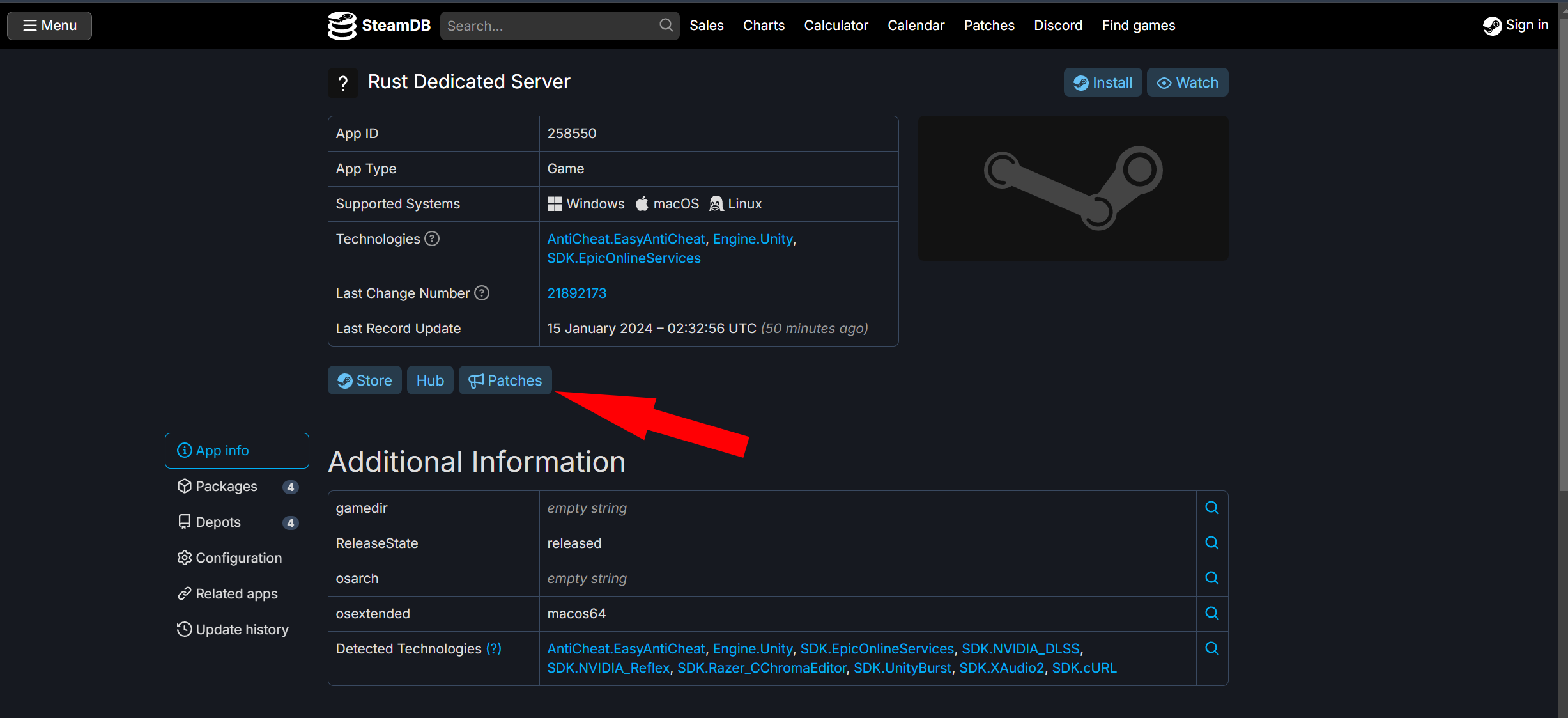
SteamDB list
From here find the version that you want on the list. In this case the one for the beginning of the wipe.
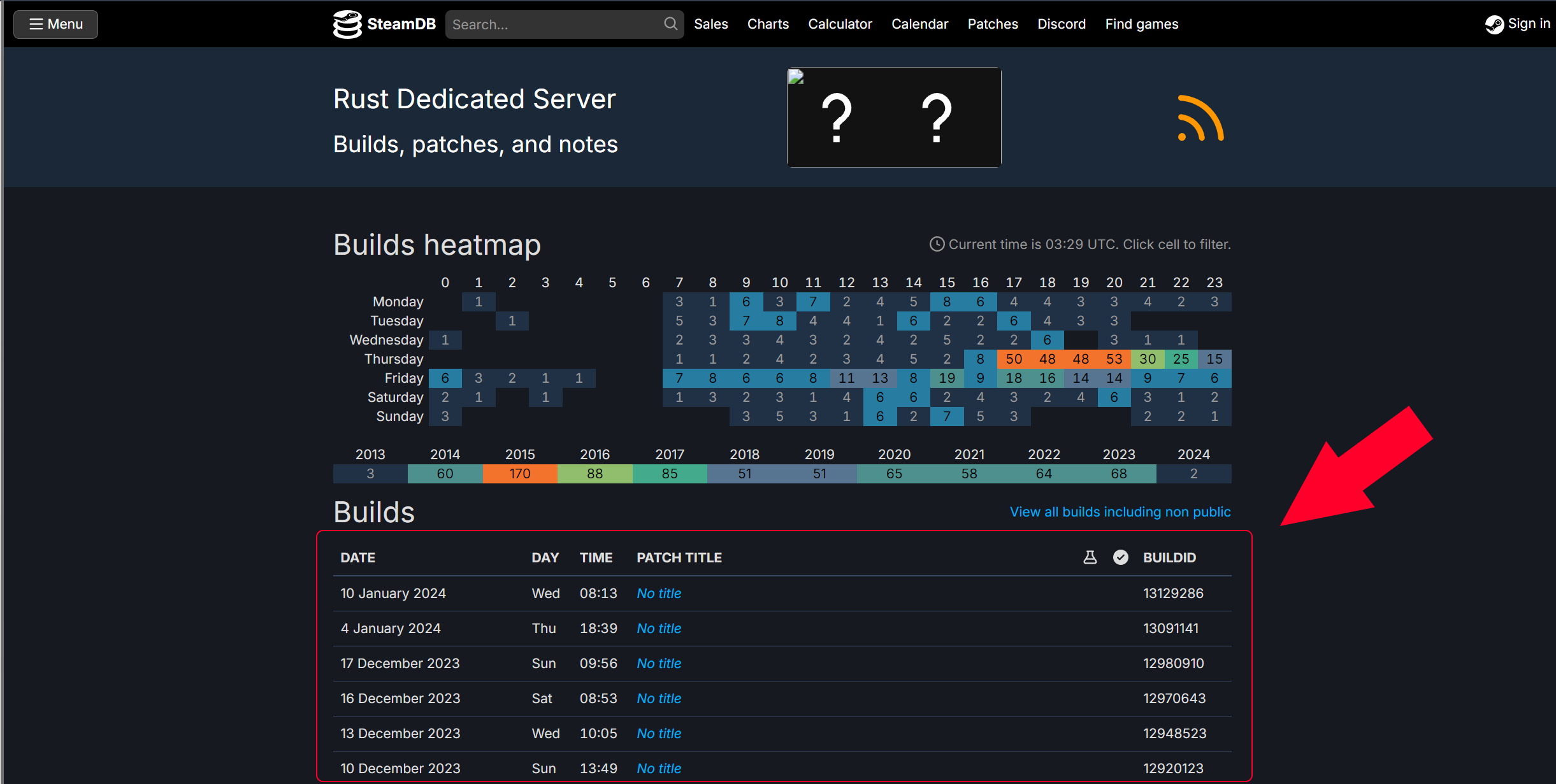
Pick the version you want
Now pick either Rust dedicated-win64 or Rust dedicated-linux64 for your use case then click the depot ID for the version you want.
On the same page, you will also need Rust dedicated-common. The Rust dedicated-common is required for both win64 and linux64.
This is because the Rust dedicated-common has the bundle files.
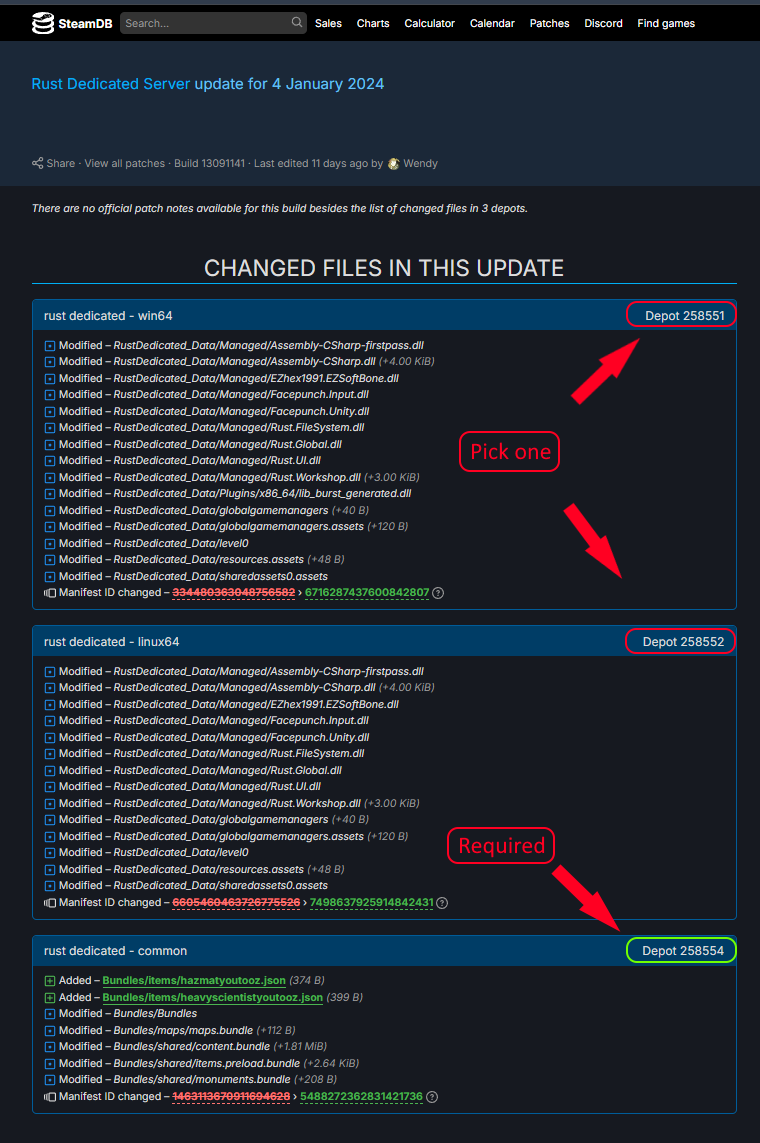
On the same page, you will also need Rust dedicated-common. The Rust dedicated-common is required for both win64 and linux64.
This is because the Rust dedicated-common has the bundle files.
Depot ID & Manifest ID
Write down the Depot ID, and Manifest ID for the operation system that you picked. Make sure you get the Correct Manifest ID.
Next, Write down the Depot ID and Manifest ID for the Rust dedicated-common.
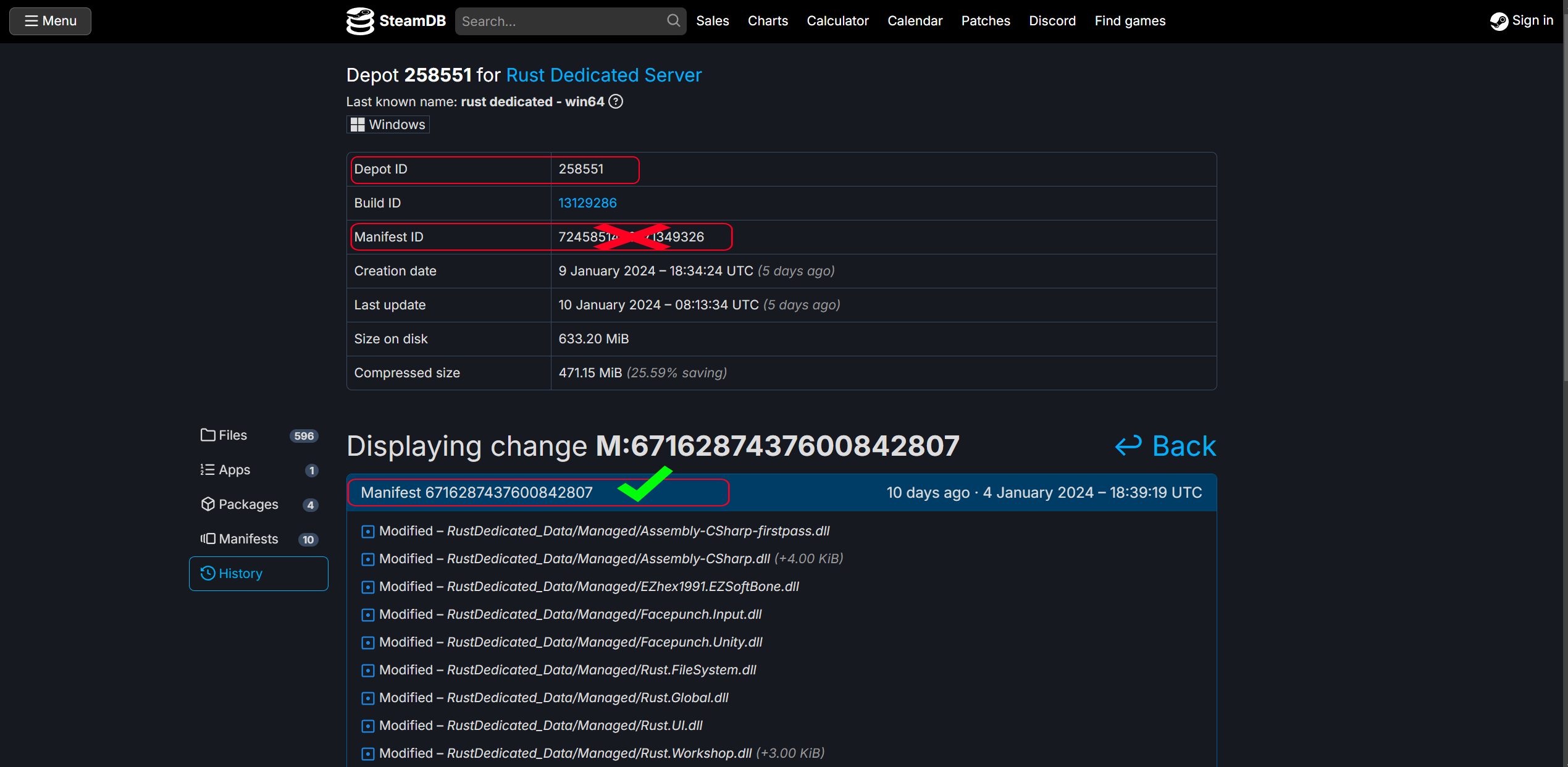
Next, Write down the Depot ID and Manifest ID for the Rust dedicated-common.
Run the commands
This guide assumes you know how to use steamCMD google is your friend.
the appid for a Rust server is 258550. Open up Steamcmd and put in these commands.
login anonymous
download_depot <appid> <depotid> [<target manifestid>]
(example) download_depot 258550 258551 6716287437600842807
There is no indication that the download has proceeded other than downloading depot (numberxxxxx...)
You will get a notification when it's finished. This process is slow.
Once downloaded you can now download the Rust dedicated-common.
download_depot <appid> <depotid> [<target manifestid>]
The package will download to a directory within Steamcmd. It will be listed in the console for the directory path.
Navigate to that directory and move it where you would like it. Example: where you might find it.
"C:\steamcmd\steamcmd\steamapps\content\app_258550\depot_258551"
Hope this helps.
Credit LizardMods, Timeconsumer, Raul
the appid for a Rust server is 258550. Open up Steamcmd and put in these commands.
login anonymous
download_depot <appid> <depotid> [<target manifestid>]
(example) download_depot 258550 258551 6716287437600842807
There is no indication that the download has proceeded other than downloading depot (numberxxxxx...)
You will get a notification when it's finished. This process is slow.
Once downloaded you can now download the Rust dedicated-common.
download_depot <appid> <depotid> [<target manifestid>]
The package will download to a directory within Steamcmd. It will be listed in the console for the directory path.
Navigate to that directory and move it where you would like it. Example: where you might find it.
"C:\steamcmd\steamcmd\steamapps\content\app_258550\depot_258551"
Hope this helps.
Credit LizardMods, Timeconsumer, Raul
Комментарии 0
Войди через Discord, чтобы комментировать