PvP
Settings / Fps Boost 2024
Here are a few tips for optimal PVP settings on RUST. These settings will improve your FPS and visibility.
Support me & the guide!

In Game Settings
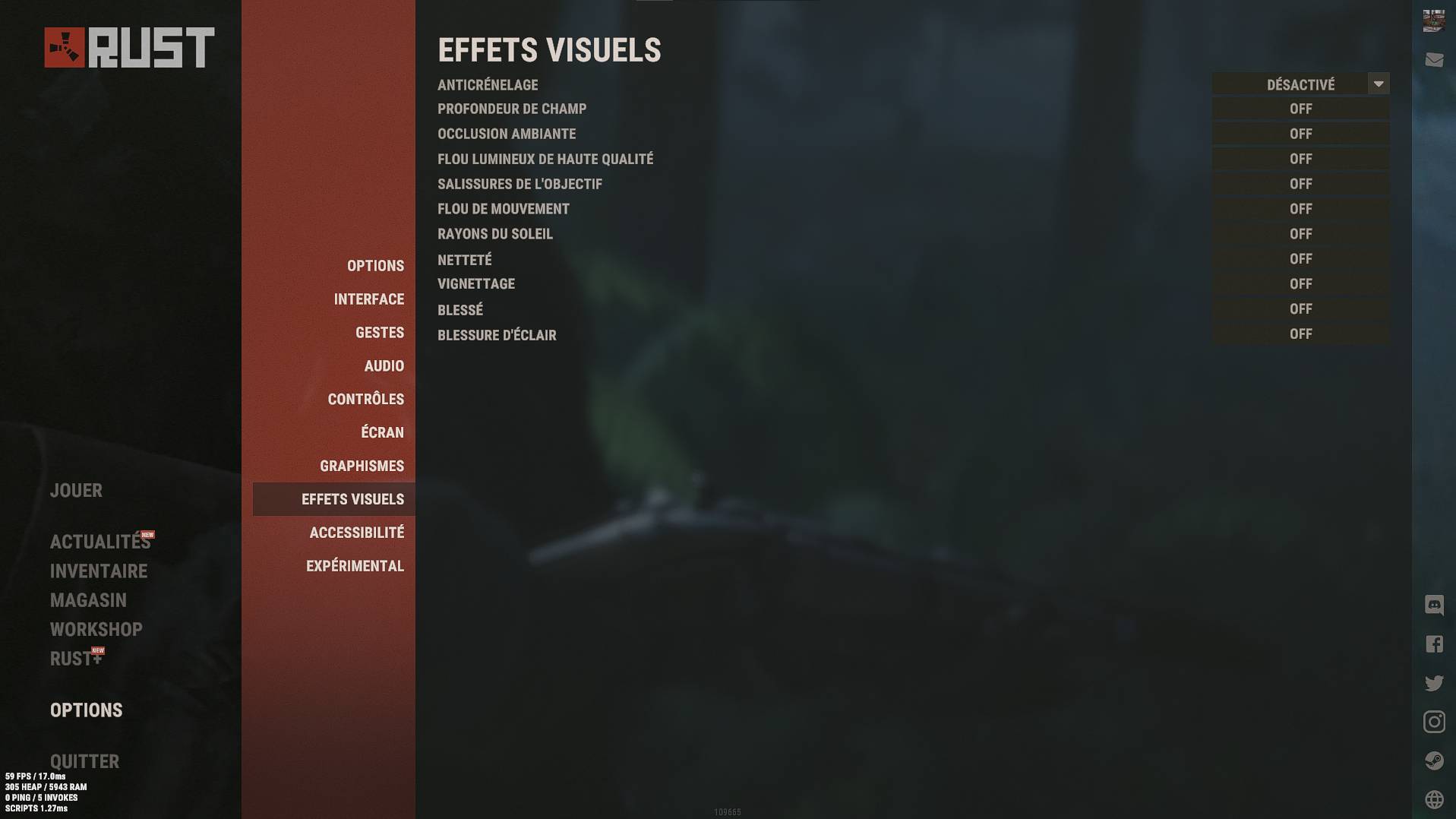
Here are the settings I use for the best visibility in Rust. Feel free to tweak the graphics settings to see what gives you the best refresh rate.
These are my graphics settings - 5700x3D ; rtx 3060 12gb oc ; 32gb Ram.
Graphics Settings
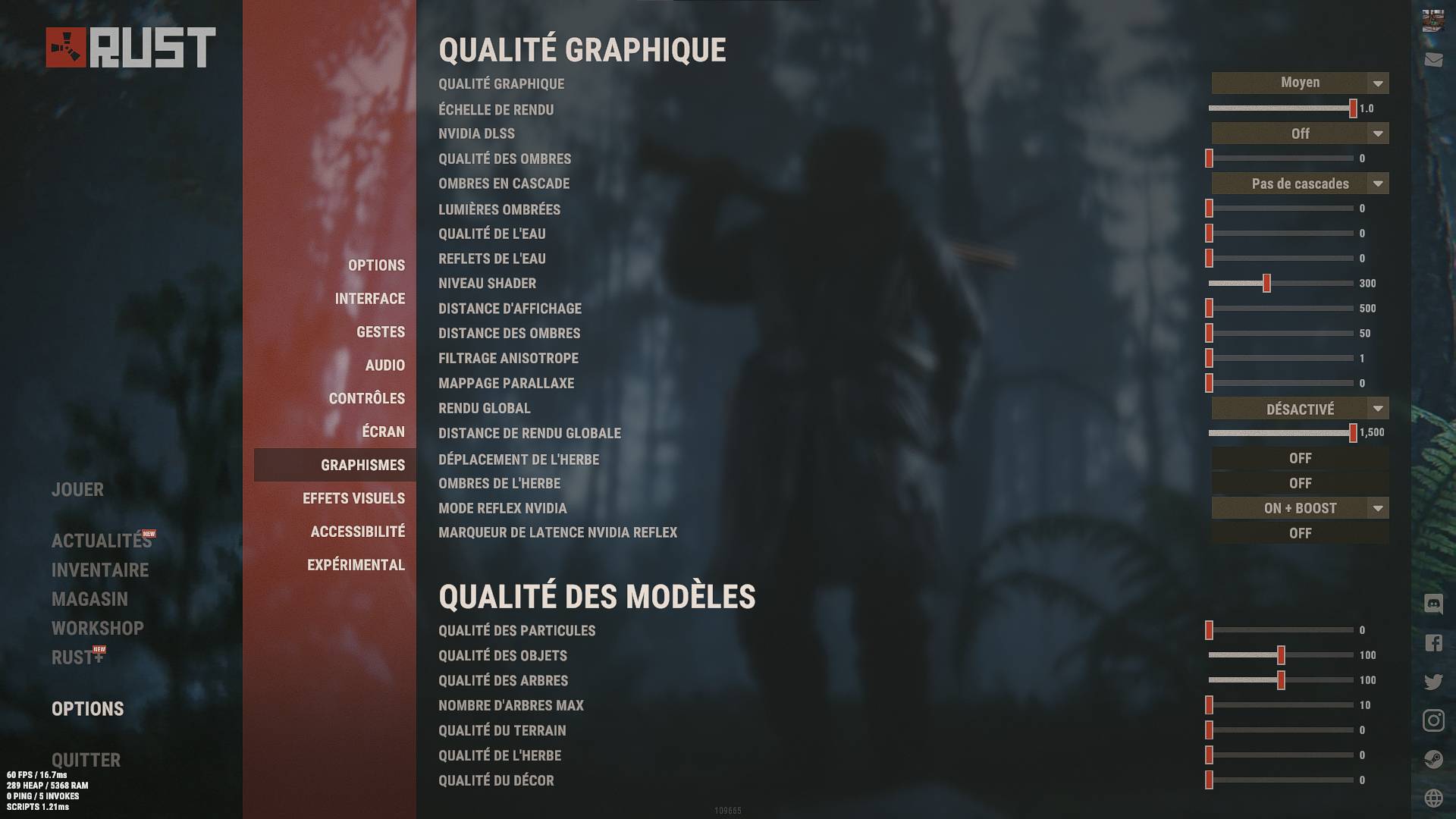 Image Effects Settings
 Experimental Settings
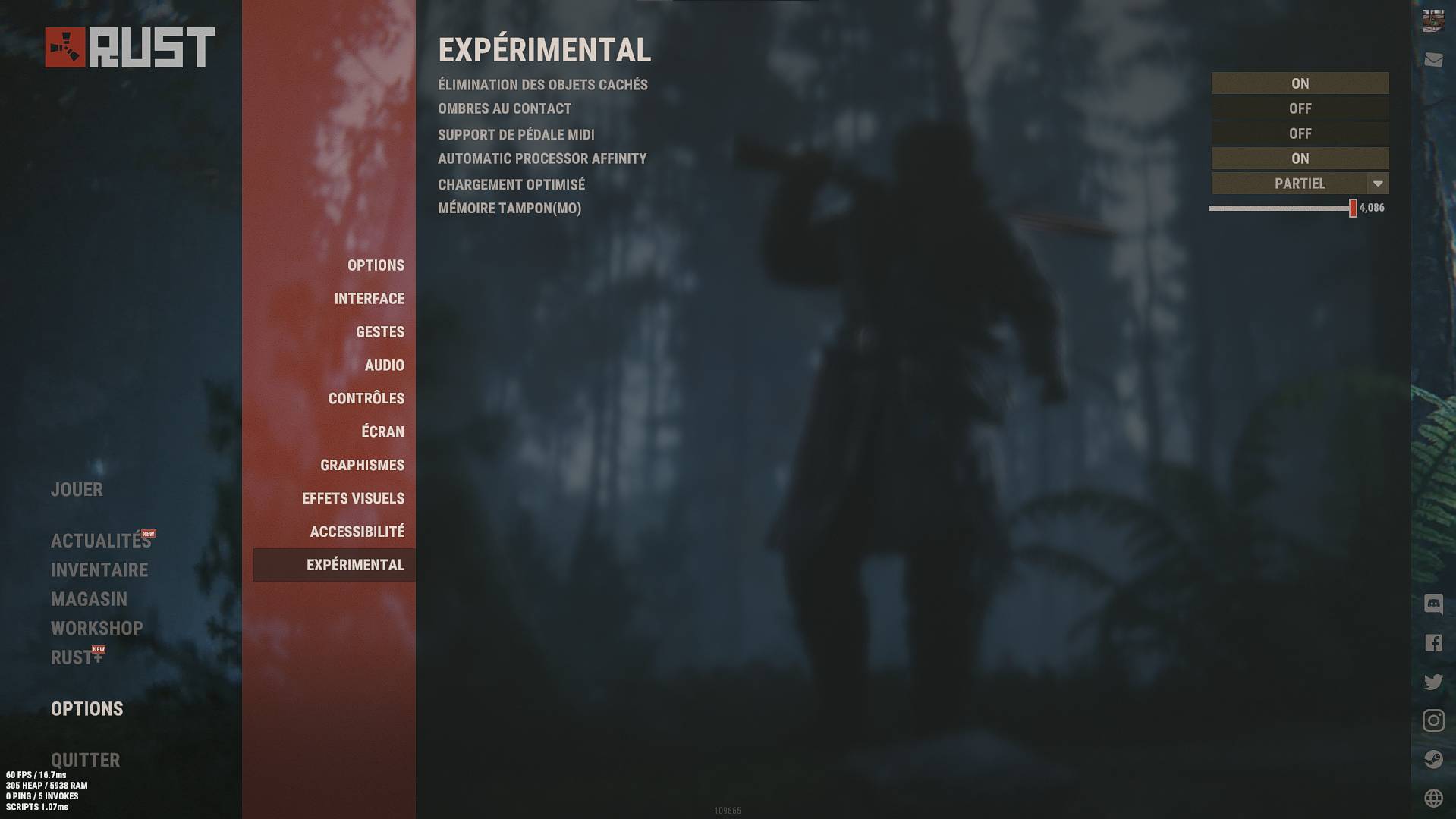
These are my graphics settings - 5700x3D ; rtx 3060 12gb oc ; 32gb Ram.
Graphics Settings
Image Effects Settings Experimental Settings Launch Options
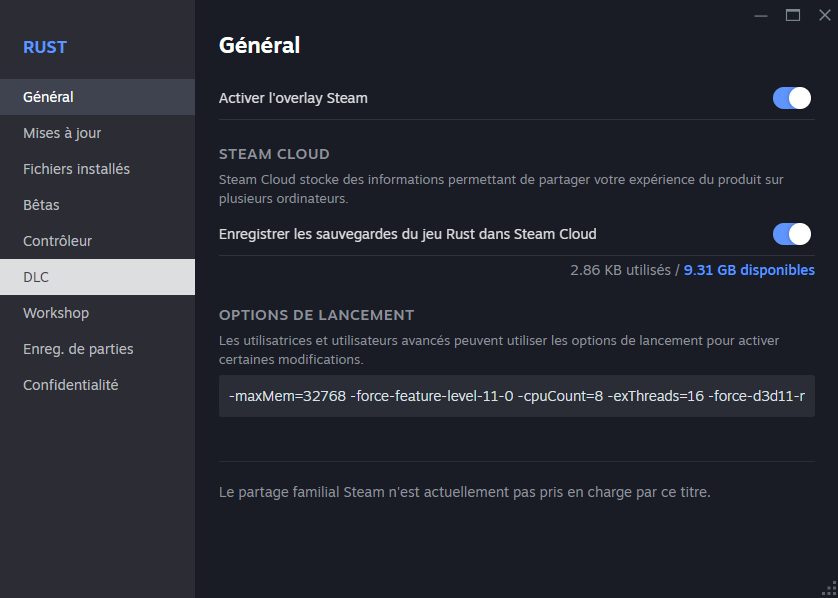
For those looking to optimize their gaming experience, here are some recommended launch options to ensure the best possible fluidity. Below is an example of the launch options I use:
Launch Options:
When you add -maxMem to your launch options, make sure you enter the correct value for your RAM size. Rounded values (such as 32000 or 16000) will not work. Here are the correct correspondences to use:
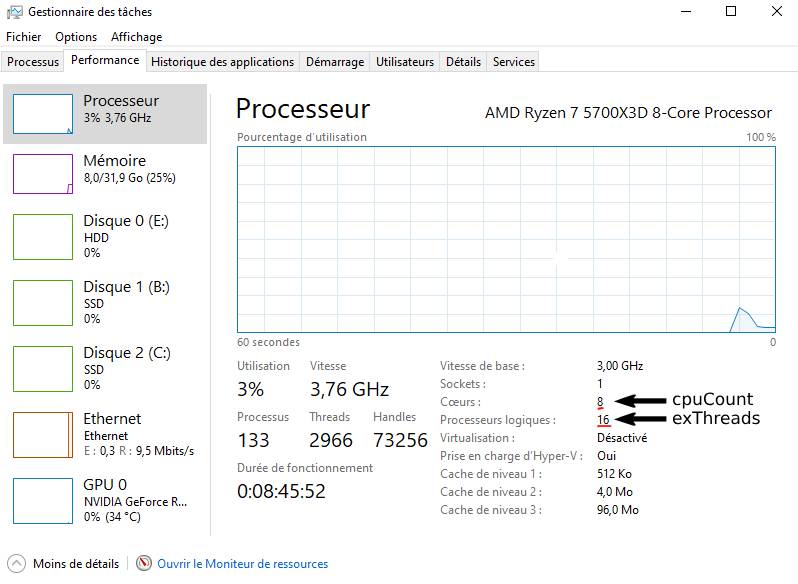
Replace the number of cores and threads of your cpu
Launch Options:
-maxMem=32768 -force-feature-level-11-0 -cpuCount=8 -exThreads=16 -force-d3d11-no-singlethreaded -nolog-maxMem=(YOUR RAM VALUE)When you add -maxMem to your launch options, make sure you enter the correct value for your RAM size. Rounded values (such as 32000 or 16000) will not work. Here are the correct correspondences to use:
- 4 GB : 4096
- 6 GB : 6144
- 8 GB : 8192
- 12 GB : 12288
- 16 GB : 16384
- 24 GB : 24576
- 32 GB : 32768 (optional)
Replace the number of cores and threads of your cpu
-cpuCount=(YOUR CPU COUNT) -exThreads=(YOUR EX THREADS)NVIDIA control panel
In this section you'll be able to see all the settings in the NVIDIA control panel. This can help you gain a few fps, but above all make your game smoother.
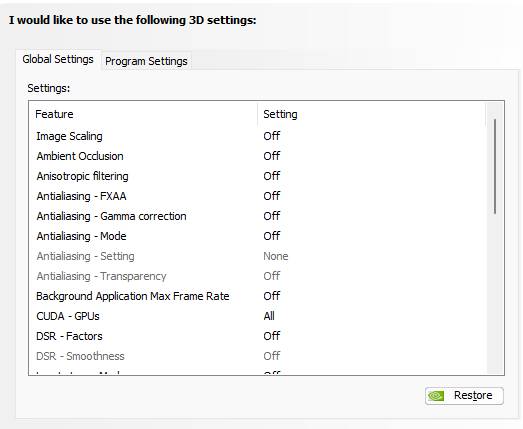
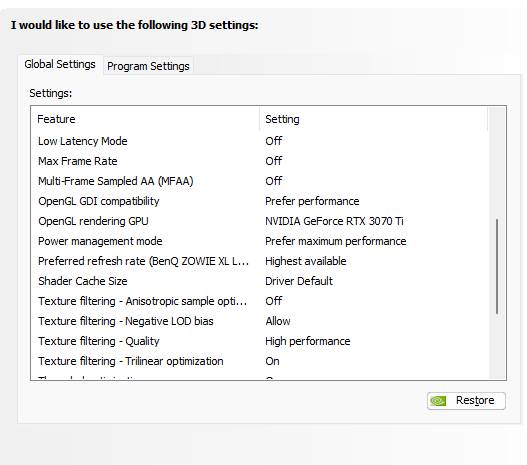
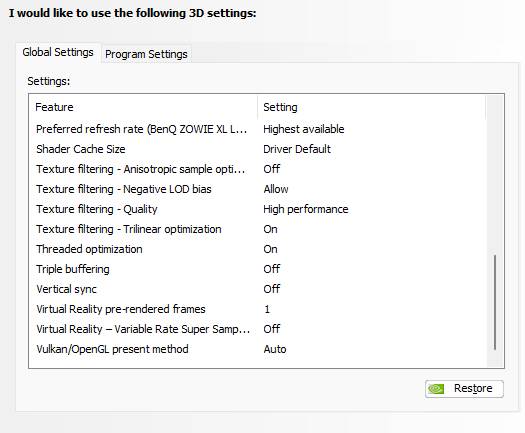
- Threaded optimization on AUTO.
In-Game Shortcuts
Just press F1 to open the console and copy and paste the commands.
Here are some in-game shortcuts to further enhance your gaming experience:
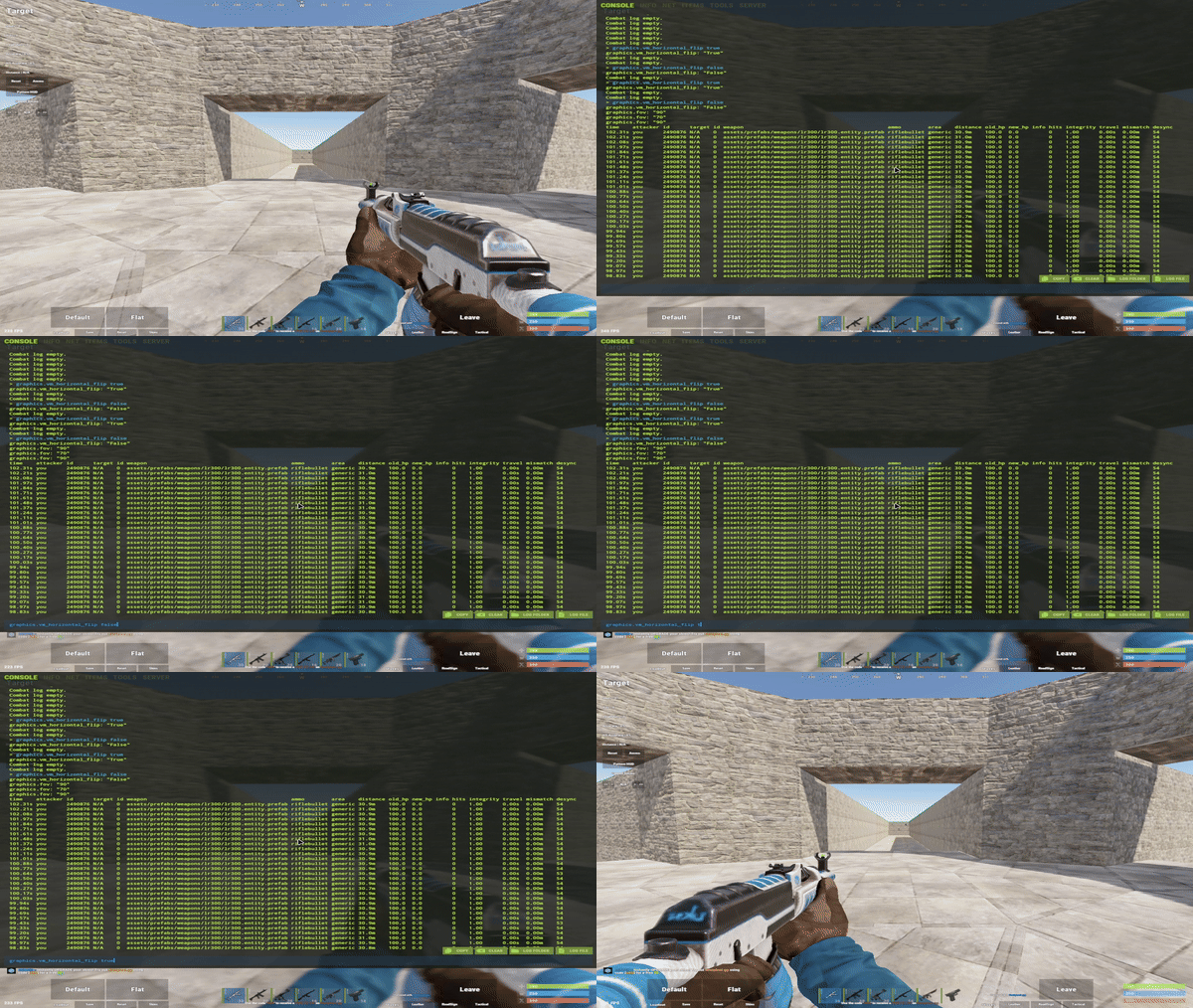
Bind
Here are some in-game shortcuts to further enhance your gaming experience:
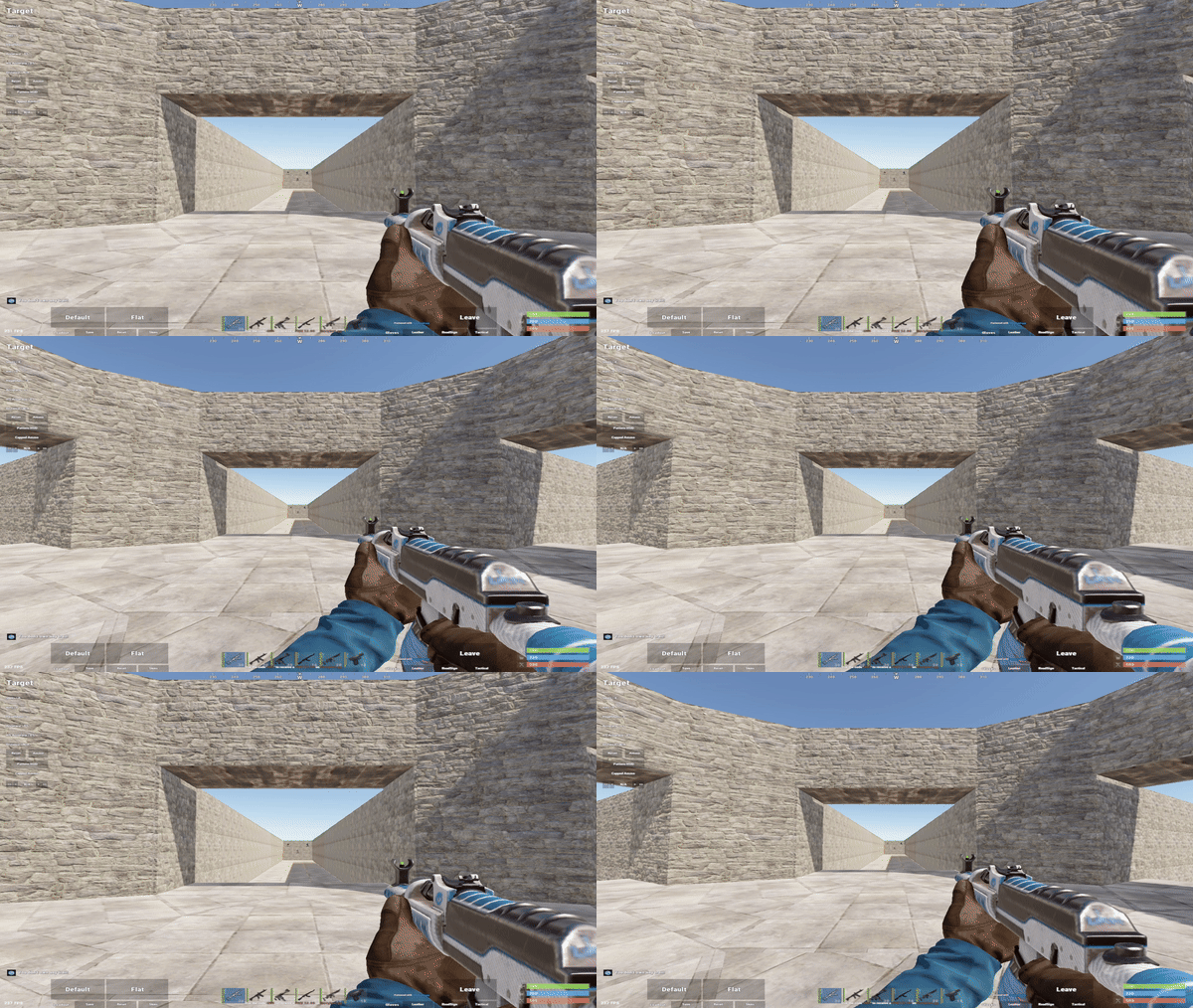
- 1. Zoom Effect
This allows you to navigate between the fov of 90 and 70, thus creating a zoom effect.
bind c +graphics.fov 90;graphics.fov 70- 2. Small Gun
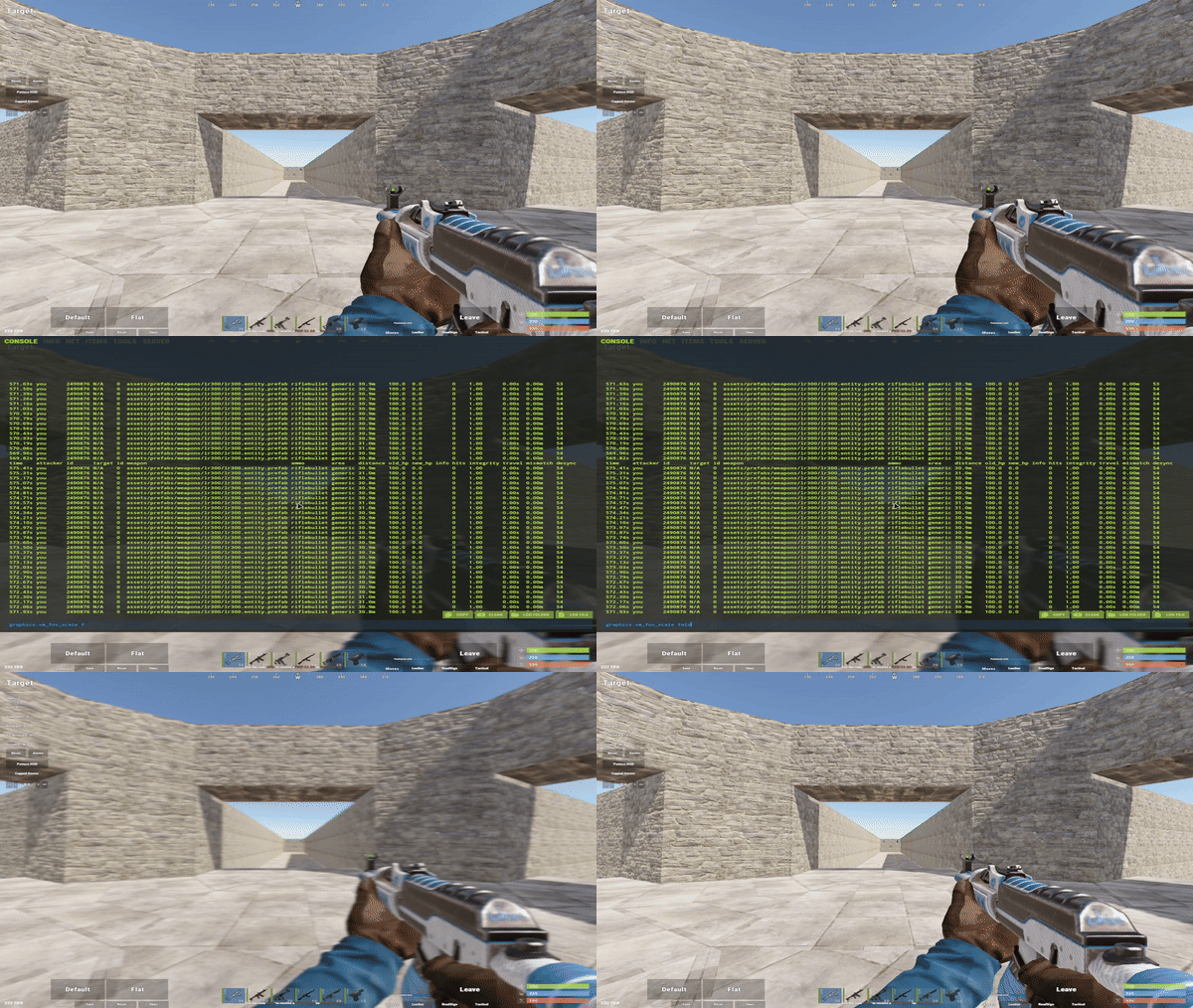
This makes the visual of your weapon smaller.
graphics.vm_fov_scale false- 3. Change weapon side
To have your gun on the left instead of the right.
graphics.vm_horizontal_flip trueBind
bind h ~graphics.vm_horizontal_flip 0;graphics.vm_horizontal_flip 1Extra Binds
1. Auto sprint
Press A and you Run without pressing Z :
2. Craft bandages
This automatically produces 1 bandage (value can be modified by changing the 1) per click and it says so in the chat, on the client side.
3. Combat log and ping
This means that when you click on F1, it automatically launches the combatlog and the ping:
4. Suicide
Just Hotkey the Kill Command in the Console (Press END for Self kill) :
5. Memory leak fix
Press k to clear the memory to fix some FPS problems :
6. Sound to minimum
Reduces Game sound to minimum (for Boat driving, Recycling, Minicopter) :
7. Open the map and focus on you
Allows that when opening the map it recenters the map directly on you without having to press F :
Press A and you Run without pressing Z :
bind A "forward;sprint" 2. Craft bandages
This automatically produces 1 bandage (value can be modified by changing the 1) per click and it says so in the chat, on the client side.
bind W craft.add -2072273936 1; chat.add 0 0 "+bandage" 3. Combat log and ping
This means that when you click on F1, it automatically launches the combatlog and the ping:
bind F2 client.consoletoggle; combatlog; client.ping 4. Suicide
Just Hotkey the Kill Command in the Console (Press END for Self kill) :
bind end "kill"5. Memory leak fix
Press k to clear the memory to fix some FPS problems :
bind f4 gc.collect;pool.clear_assets;pool.clear_memory;pool.clear_prefabs 6. Sound to minimum
Reduces Game sound to minimum (for Boat driving, Recycling, Minicopter) :
bind m ~audio.master 0.1;audio.master 0.4 7. Open the map and focus on you
Allows that when opening the map it recenters the map directly on you without having to press F :
bind g +map;+focusmap Extra Settings
1. Look at radius
UP and DOWN radius for easy loot and Upgrade Fondation:
2. Remove destroyed antities + Collect/Clear caches
Allows you to delete destroyed entities and clear the cache :
UP and DOWN radius for easy loot and Upgrade Fondation:
bind h "~client.lookatradius 20;client.lookatradius 0" 2. Remove destroyed antities + Collect/Clear caches
Allows you to delete destroyed entities and clear the cache :
bind F4 effects.maxgibs -1;gc.collect;global.free;gc.unload | Effect | Exemple | Console Command |
|---|---|---|
| ON particles | 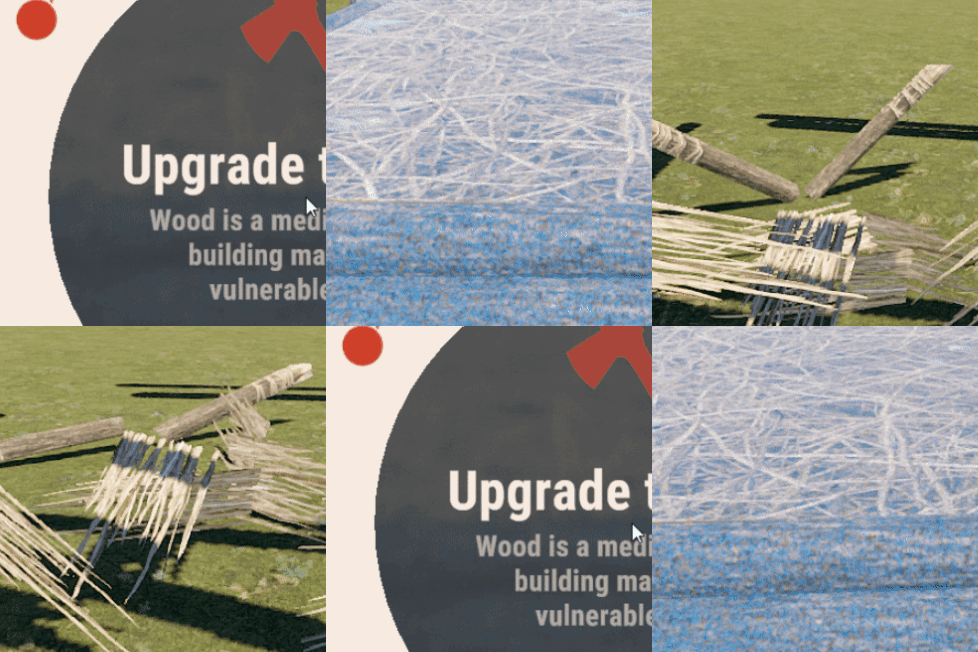 | |
| OFF particles | 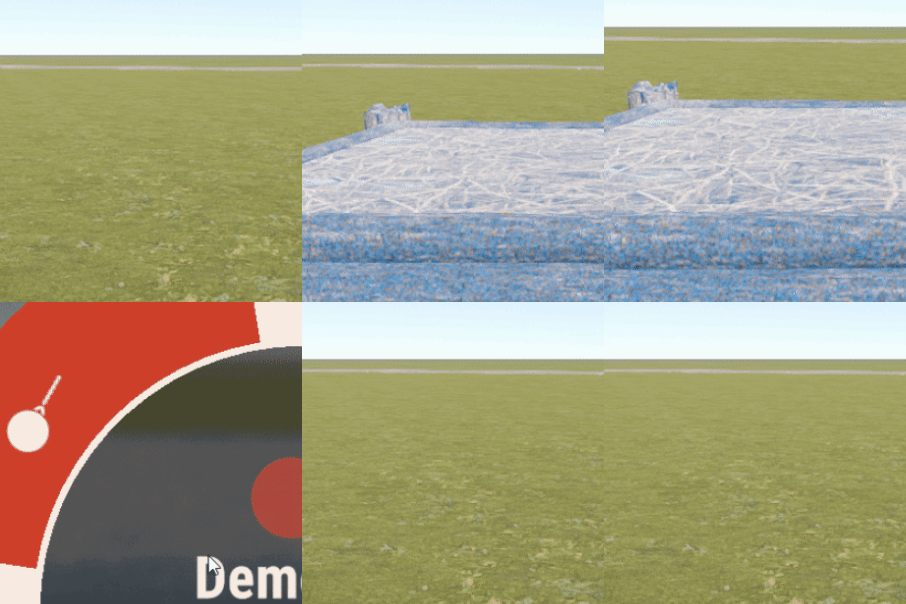 | |
| Show Netgrath | 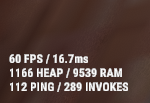 | |
| Hide the interact text while aiming a weapon | 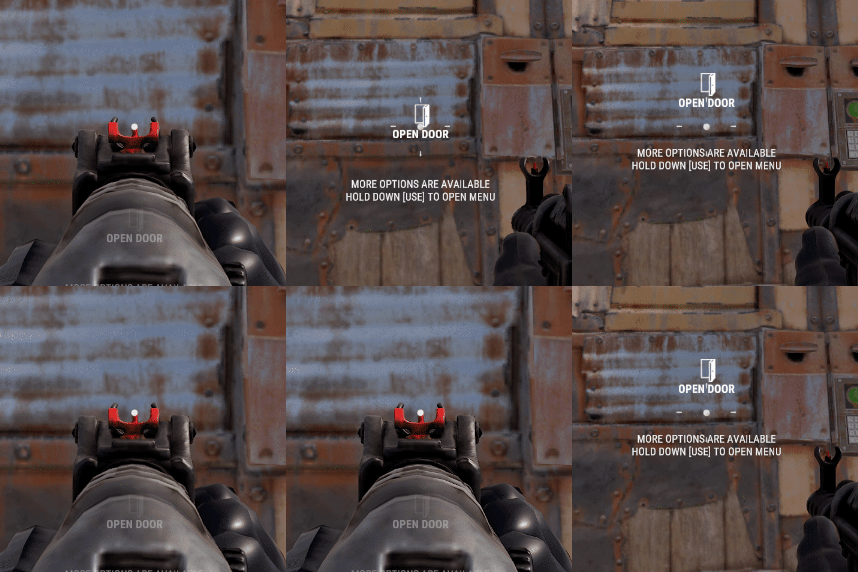 | |
Support me & the guide!
![.gif]](/api/guide-media/3242768873_22529750e1cbd8ae.gif)
Комментарии 0
Войди через Discord, чтобы комментировать